
After-Showtime Email
After-Showtime Email
Powered by TodayTix provides automated sales reporting for every event on the platform. Reports are delivered by email and updated in the partner portal, so you always have a reliable picture of how your event is performing — without manual data pulls or spreadsheets.
The after-showtime email is the first report you receive. It arrives approximately 30 minutes after each performance begins, summarizing everything about that specific performance: how many tickets were sold, how much revenue was generated, and how the audience looks as the curtain goes up.
Use the after-showtime email to:
- Get a real-time pulse on the house — within 30 minutes of curtain, you can see how full the auditorium is and how much revenue that performance generated
- Brief your team and stakeholders — a concise, self-contained snapshot that busy producers and general managers can read on their phone without logging in anywhere
- Compare performance quality — over time, after-showtime emails build a picture of which days, times, and price strategies drive the strongest audiences
- Flag problems early — low occupancy, high comp counts, or weak day-of sales stand out immediately so you can react quickly
Prerequisites
You must be set up to receive sales figures for your event. To arrange this, speak to your PxT contact — they will configure the report recipients and ensure the right people are receiving the right events.
What you receive
One email per performance, arriving approximately 30 minutes after the scheduled start time. If your event has both a matinee and an evening performance, you receive two separate after-showtime emails — one for each.
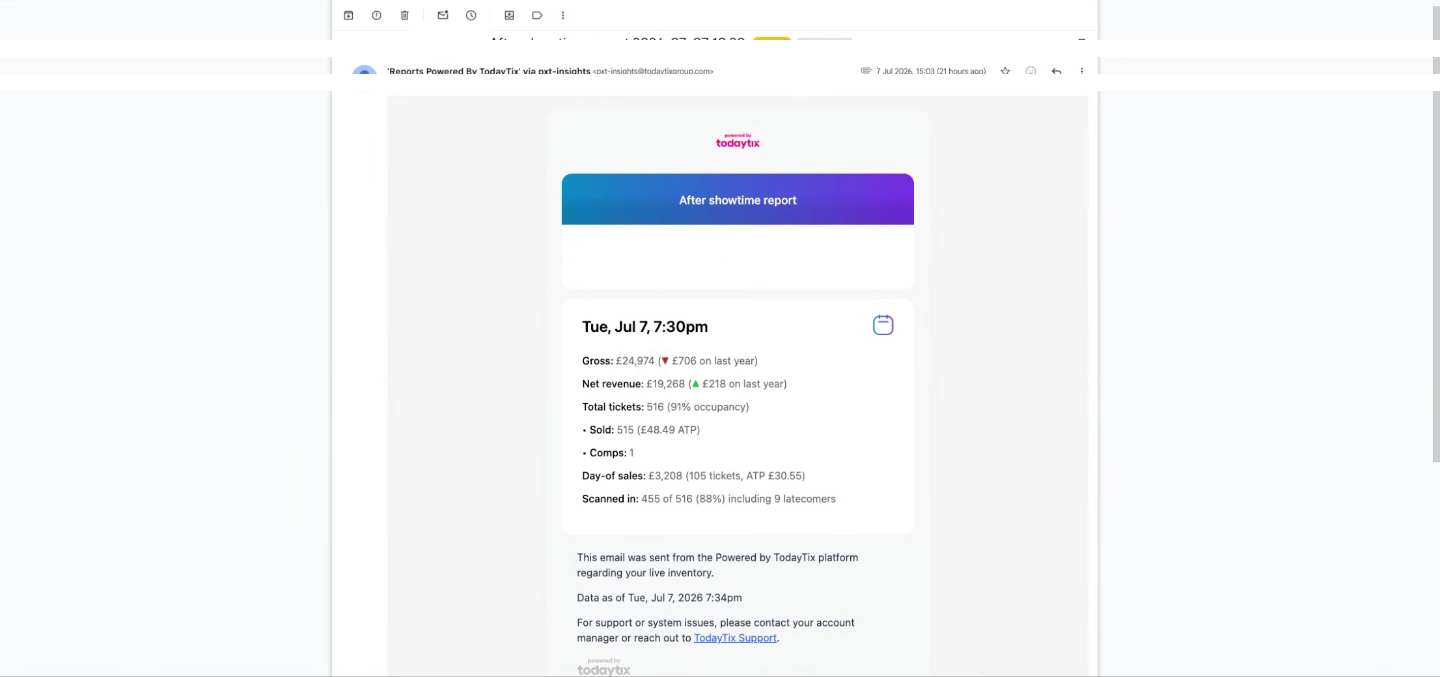
Metrics
Revenue in this email is always gross unless explicitly labeled as net. Net revenue is only shown when it has been enabled for your event’s report configuration — speak to your PxT contact if you need net figures included.
This week’s showtimes to date
Below the performance metrics, a blue summary box shows aggregated gross revenue, ticket count, and ATP across all performances so far this week. For events running longer than a year, year-on-year comparisons are included; otherwise, week-on-week comparisons are shown as a fallback.
Attachments
Every after-showtime email includes PDF and CSV attachments with a detailed breakdown of the performance — slicing ticket sales by price band, seating section, sales channel, ticket agent, and more. See Email Attachments for a full walkthrough of what each page contains.
Next steps
- Morning Email — the daily digest that consolidates yesterday’s showtimes, sales, and future showtimes
- Email Attachments — the PDF and CSV breakdowns attached to each email
- Sales Calendar — explore the same data interactively in the portal